
AI Rental Car Damage Scanners: How to Protect Yourself (2026)
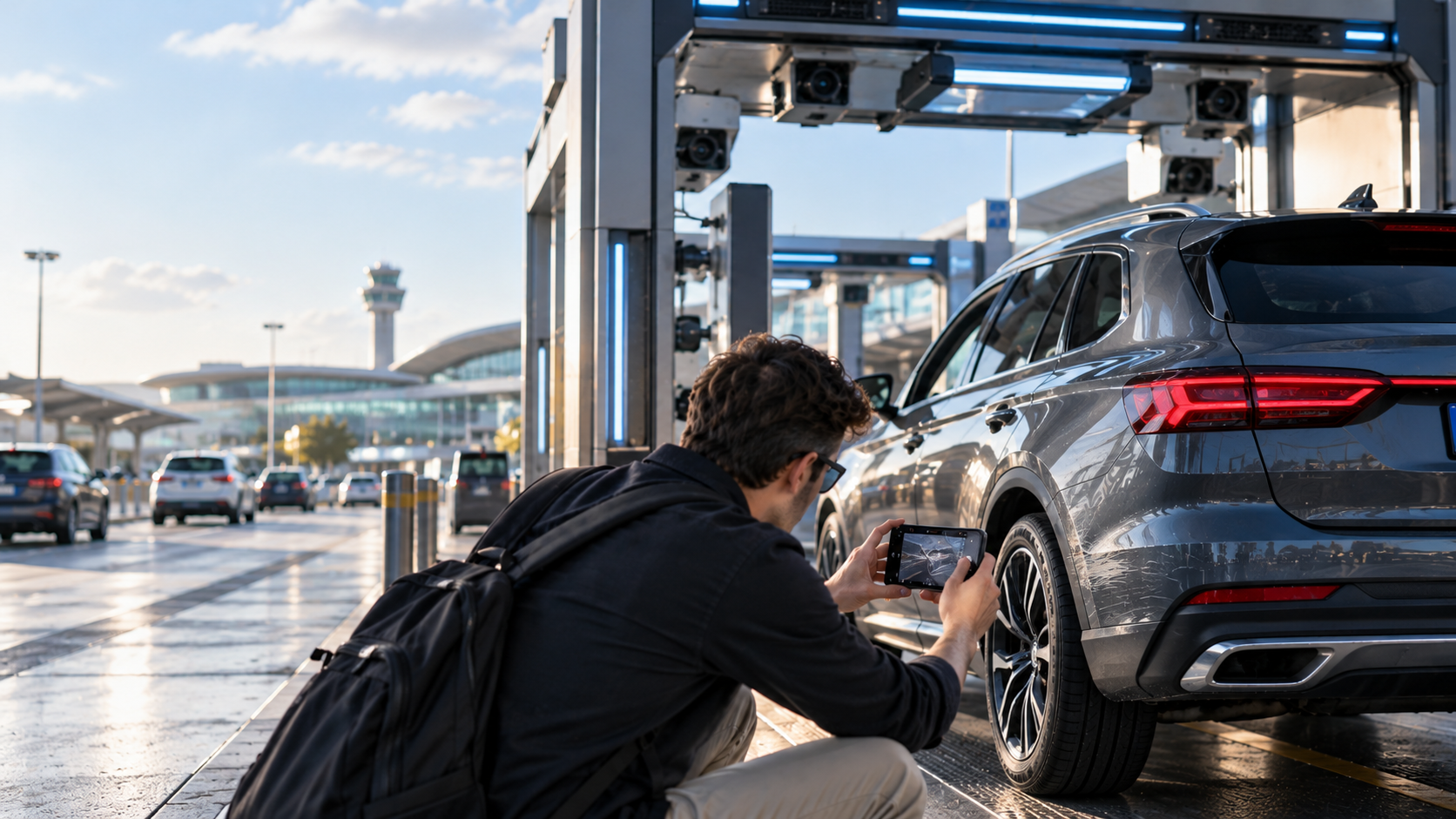
Rental companies are increasingly using artificial intelligence to inspect vehicles for scratches, dents, and other damage. But what happens when an automated scanner flags a mark you don't believe you caused?
You return your rental car after a perfectly ordinary trip.
No accidents. No parking incidents. No noticeable scratches.
You drive through the return lane, hand over the keys, and head toward your flight.
Then your phone buzzes.
"New vehicle damage detected. Payment required."
An automated inspection system has identified a mark on your rental car. The accompanying photograph shows something so small you can barely see it.
Yet the invoice demands hundreds of dollars.
You're confused. You don't remember damaging the vehicle, and nobody mentioned a problem when you returned it.
But the rental company's AI scanner says something changed.
Does that mean you're automatically responsible? And how can you challenge an AI-generated rental car damage claim?
As automated vehicle inspections become more common, renters need to understand how these systems work, what their limitations are, and why keeping an independent record of their vehicle's condition is becoming increasingly important.
What Is an AI Rental Car Damage Scanner?
An AI rental car damage scanner is an automated inspection system that uses cameras, sensors, and computer vision software to identify potential damage on a vehicle.
Instead of relying entirely on an employee walking around the car, some rental locations use fixed scanning systems or digital inspection tools.
The process generally works like this:
A rental vehicle is photographed or scanned before the customer leaves.
The system records its visible condition and identifies potential marks.
The car is inspected again when returned.
Software compares the available pickup and return images.
Potential changes are flagged for assessment and, where applicable, a damage claim.
These systems can help identify scratches, dents, cracks, and other imperfections.
Some advanced systems also inspect wheels, tires, and parts of the vehicle's undercarriage.
One example is UVeye, a vehicle-inspection technology company that partnered with Hertz in 2025 to introduce automated inspections at selected U.S. airport locations.
According to Hertz's official announcement, the partnership was intended to improve inspection consistency, efficiency, vehicle maintenance, and transparency.
For rental companies managing thousands of vehicles, the benefits are easy to understand.
But for customers, the increasing use of AI raises a different question:
What happens when the technology detects damage that the renter disputes?
Can AI Rental Car Scanners Make Mistakes?
Yes. Like other computer vision systems, automated vehicle inspection technology can produce incorrect or incomplete findings.
That doesn't mean AI damage scanners are inherently unreliable.
A standardized imaging system may detect certain marks more consistently than a rushed human inspection.
It can also create valuable photographic records for both rental companies and customers.
However, automated inspection results depend on factors such as camera coverage, lighting, image quality, sensor performance, and the software used to interpret differences.
Consider a few possibilities.
Reflections That Look Like Scratches
A bright reflection on polished paintwork can resemble a line or surface imperfection in an image.
If the vehicle was photographed under different lighting conditions at pickup and return, its appearance may change.
A reliable assessment needs to distinguish actual physical damage from reflections, dirt, water, or other visual differences.
Pre-Existing Damage Detected Differently
Imagine a small scratch that was already present when you collected the car.
At pickup, it was photographed from one angle.
At return, a different angle made the same scratch more visible.
A comparison system might identify a difference that requires further review.
That alone doesn't establish that the scratch occurred during your rental.
Marks That Fall Within Wear-and-Tear Rules
Not every visible mark necessarily qualifies as chargeable damage.
Some rental companies publish standards distinguishing ordinary wear and tear from damage requiring repair.
Even if a scanner correctly identifies a tiny mark, the next question is whether the mark meets the company's applicable charging criteria.
Detecting a mark and establishing financial responsibility are two different things.
Damage That the System Cannot Fully Assess
Automated inspection systems also have limitations.
A camera may capture visible surface damage without establishing its cause, age, repair requirements, or whether it occurred while a particular customer had possession of the vehicle.
Some scanners can capture underbody images, while other inspection systems focus primarily on exterior panels.
The absence of a flagged issue doesn't necessarily prove that no damage exists.
For these reasons, automated findings should be evaluated alongside the rental agreement and the available evidence.
Why AI Rental Car Damage Charges Are Becoming Controversial
The concern isn't simply that rental companies use AI.
It's what happens when automated findings become the basis for a financial claim.
A customer may leave the rental facility believing the return is complete.
Minutes or hours later, they receive an electronic damage notification.
The customer may already be at the airport, on a flight, or in another country.
By then, returning to inspect the alleged scratch personally may be impossible.
The dispute becomes a comparison between the company's digital evidence and whatever photographs the customer collected independently.
In August 2025, a U.S. House oversight subcommittee opened an inquiry into AI-powered rental car damage assessments, raising questions about the technology, consumer transparency, and the review of automated charges.
That inquiry did not establish that all automated assessments were wrong. It did, however, highlight the importance of transparency and meaningful review.
Read the U.S. House Oversight Committee announcement.
For travelers, the practical lesson is straightforward.
Don't assume the rental company's automated inspection is the only record you'll ever need.
Does an AI Damage Scanner Prove You Damaged the Rental Car?
Not necessarily.
An automated scan can provide evidence of the vehicle's visible condition at the time it was recorded.
When pickup and return images are available, they can help identify possible changes.
But the scanner doesn't automatically answer every question about responsibility.
For example:
Was the same mark already visible at pickup?
Did the comparison use images from the same vehicle?
Was the affected area captured clearly at both inspections?
Is the mark actual damage rather than a reflection or temporary contamination?
Does it exceed any applicable wear-and-tear threshold?
Is the proposed repair cost supported by the rental agreement and assessment?
Could another party have caused the damage, and how does the contract address that?
The answers depend on the facts, the company's evidence, and your rental agreement.
If you receive an AI-generated damage invoice, you can ask for the underlying records and an explanation of the assessment.
You don't have to treat an automated finding as infallible simply because it came from sophisticated technology.
How to Protect Yourself Before Renting a Car With AI Inspections
The best time to prepare for a damage dispute is before the rental begins.
Once you've handed back the keys, collecting new evidence of the vehicle's original condition becomes much more difficult.
Here's a practical approach.
Step 1: Find Out Whether the Rental Location Uses Automated Inspections
Before driving away, check whether the location uses a digital inspection process.
Some systems operate through scanning gates or camera-equipped lanes.
Others involve mobile inspection devices.
At participating Hertz locations, for example, digital vehicle inspections may generate pickup and return records, with inspection reports delivered electronically.
You can review its official accident and damage guidance for information about the company's digital inspection procedures.
Where available, ask how to access the pickup inspection report.
If the company provides photographs or a condition report, save them.
Don't assume that a scan guarantees you will receive a copy before departure.
Step 2: Perform Your Own Vehicle Inspection
This step remains important even when the rental company uses AI.
Before leaving the parking space, walk around the vehicle and photograph its exterior.
Capture the front bumper, rear bumper, both sides, doors, wheels, mirrors, roof, and visible glass.
For existing scratches or dents, take both wide-angle and close-up photographs.
Wide-angle images show where the mark is located.
Close-ups show its appearance.
Pay particular attention to areas that are easy to overlook, such as the lower bumper edges, wheel rims, and lower door panels.
If the rental company provides a pre-existing damage report, compare it with the vehicle.
Report any unlisted damage through the required procedure before departing.
Step 3: Capture Images Before You Leave the Rental Facility
A photograph is more useful when you can establish when it was taken.
Ideally, document the vehicle while it is still at the pickup location.
Preserve original files, including any available timestamps and location information.
If you use an independent documentation app, complete and save the record before you begin driving.
Don't rely on photographs taken hours later at your hotel as your only evidence of pickup condition.
Even if the car was already damaged when you collected it, photographs taken later may leave uncertainty about when the damage appeared.
Step 4: Repeat the Inspection at Return
This is where many renters make a mistake.
They carefully inspect the vehicle at pickup but return it without taking any photographs.
If the company later identifies an alleged new scratch, they have no independent record of what the car looked like at handover.
Before returning the keys, photograph the same areas again.
Where possible, use similar angles and lighting.
Include clear photographs of existing scratches documented at pickup.
Complete the process before handing over control of the vehicle.
Step 5: Keep the Inspection Records Together
Save the pickup and return photographs alongside the rental agreement, inspection reports, and return receipt.
If the rental company sends an automated damage report, retain the original message and attachments.
This creates a more complete timeline of the rental.
If a dispute arises later, you can compare the documents instead of searching through hundreds of unrelated holiday photographs.
The Problem With Relying Entirely on the Rental Company's Scanner
An automated inspection system is designed and operated on behalf of the rental business.
That doesn't inherently make its evidence inaccurate.
However, it does mean the renter may not control how the images are captured, what information is retained, or when the inspection results become available.
A customer may reasonably want their own record.
Consider a simple example.
A rental company identifies a scratch on the driver's door and claims it appeared during your booking.
Its return scan clearly shows the mark.
But your own pickup photograph also shows the same scratch.
Now you have two pieces of information that should be examined together.
Instead of disputing whether a scratch exists, you can focus on whether it was already present.
That's a much more precise argument.
And it's exactly why an independent pickup record is useful.
The question isn't whether humans or AI are better at detecting damage. It's whether both sides have access to reliable evidence of the vehicle's condition.
How to Dispute an AI Rental Car Damage Charge
If you've already received a charge based on an automated inspection, don't ignore the notification.
Start by examining the details.
1. Request the Full Before-and-After Inspection
Ask the rental company to provide the pickup images and return images used in the assessment.
A single close-up of the alleged damage may not explain whether the mark was already present.
Request images showing the surrounding panel and its condition during both inspections.
2. Ask What the Scanner Actually Detected
Was the system identifying a scratch, dent, chip, crack, or another type of imperfection?
Where exactly is the alleged damage located?
Ask for a clear description and, where possible, the measurements or classification supporting the charge.
3. Review the Company's Damage Policy
Check whether the alleged mark meets the relevant damage threshold.
Some companies distinguish minor wear and tear from chargeable damage.
A computer identifying a cosmetic mark doesn't necessarily settle whether a repair charge is justified.
4. Compare Your Independent Photographs
Open your original pickup and return images.
Find photographs of the same vehicle panel.
If the alleged damage is visible at pickup, explain this clearly.
If it isn't visible in the company's images, ask the reviewer to identify the exact mark.
Be careful not to claim that photographs prove more than they actually show.
5. Request a Human Review
If you believe the automated assessment is incorrect, ask for a manual review of the evidence.
Explain the specific discrepancy rather than simply stating that AI cannot be trusted.
For example, you might write:
Subject: Request for Review of Automated Rental Car Damage Claim
Dear Claims Team,
I am writing to dispute the damage charge associated with rental agreement [Number].
The claim appears to have been generated following an automated vehicle inspection. I request a human review of the alleged damage and the supporting evidence.
Please provide the complete pickup and return inspection photographs, the damage classification, the applicable charging criteria, and an itemized explanation of the amount claimed.
I have attached my own photographs documenting the vehicle's condition for comparison.
I would appreciate a written response addressing the evidence and explaining the outcome of your review.
Kind regards,
[Your Name]
Keep a copy of the correspondence and note any response deadlines.
6. Consider Further Dispute Options
If the claim remains unresolved, review your options under the applicable consumer protection rules, rental agreement, and payment-card terms.
Depending on the circumstances, you may be able to pursue further internal escalation, an insurance review, consumer assistance, or a card billing dispute.
A chargeback isn't automatic, and submitting one doesn't guarantee that the underlying contractual dispute will be resolved.
For additional guidance, see our rental car damage dispute guide.
The New Rental Car Reality: Companies Have AI. Renters Need Their Own Evidence.
Technology is changing vehicle inspections.
Rental companies can increasingly create automated records at pickup and return.
That can be beneficial.
More consistent inspections could reduce reliance on memory, improve fleet maintenance, and clarify the condition of vehicles during handover.
But technology alone doesn't eliminate disagreements.
An AI system can flag a potential scratch.
A claims process must still consider whether that scratch is new, whether it qualifies as chargeable damage, and whether the renter is financially responsible.
For customers, the best response isn't to reject technology.
It's to create a reliable, independent record that can be compared with the company's findings.
That's where CarSeal comes in.
How CarSeal Helps You Build Your Own Rental Car Inspection Record
CarSeal is an independent vehicle-condition documentation app designed for rental car customers.
It guides you through photographing the vehicle at pickup and return, helping you capture an organized record before a damage dispute occurs.
Rather than relying entirely on the company's inspection report, you retain your own documentation.
Guided Vehicle Walk-Around
CarSeal guides you through photographing exterior panels and important areas of the vehicle.
Close-up prompts help capture visible existing marks.
The process encourages consistent coverage rather than a collection of random images.
Tamper-Evident Photo Records
After photographs are uploaded, CarSeal generates SHA-256 hashes associated with the saved image files.
Its system can request an independent timestamp token and maintain a record of the uploaded documentation.
The public verification page checks the stored hash record, rather than rechecking live image bytes.
These features can help support the integrity and timeline of a record. They don't independently prove when damage occurred or who caused it.
AI-Assisted Before-and-After Comparison
At the end of your rental, you can complete a second inspection.
CarSeal uses AI to highlight potential marks and changes in the photographed areas.
These findings require review because AI can miss or misclassify damage.
Importantly, the app is independent of the rental company.
It provides an additional perspective, rather than claiming to replace the company's inspection or determine legal responsibility.
Shareable Rental Car Condition Reports
CarSeal can generate a PDF report containing the documented vehicle condition, relevant findings, and a link to the stored verification record.
If the rental company later raises a question about damage, you have an organized set of images to submit.
The app also provides tools for preparing dispute-related documents using your photographs.
CarSeal cannot override an automated inspection, guarantee that an invoice will be withdrawn, or establish that its own AI findings are always correct.
But it can make it easier to preserve and communicate the evidence you collected independently.
The rental company may have an AI inspection system. You can have your own condition record.
Document your next rental with CarSeal →
What an Independent Inspection Can—and Cannot—Prove
A useful rental-car record is not the same as an absolute guarantee.
For example, if CarSeal photographs a scratch at pickup, those images may help support the argument that the mark was already visible before your journey.
If the same mark appears at return, the before-and-after photographs may help establish that it was not newly introduced.
However, the result depends on the quality, timing, and coverage of the images.
Neither a rental company's AI scanner nor an independent smartphone inspection necessarily captures every hidden or poorly lit area.
Some automated scanning systems can inspect the undercarriage. An ordinary exterior walk-around cannot reliably establish the condition of hidden components.
A photographic record also doesn't determine whether a mark requires repair or who is contractually responsible for it.
These distinctions matter because the goal is stronger evidence, not exaggerated certainty.
Frequently Asked Questions About AI Rental Car Damage Scanners
What is a rental car AI damage scanner?
An AI rental car damage scanner is a digital inspection system that uses cameras and computer vision to identify potential scratches, dents, cracks, and other vehicle damage. Some systems compare images captured before and after a rental.
Does Hertz use AI scanners to check rental car damage?
Yes. Hertz has introduced UVeye-powered digital vehicle inspections at selected U.S. rental locations. The company states that its system can compare pickup and return images and provide electronic inspection reports.
Can an AI rental car scanner charge you for a tiny scratch?
An automated system may flag a small mark and generate information used in a damage assessment. Whether the mark is chargeable depends on the company's policy, the rental agreement, applicable law, and the assessment.
Can AI damage scanners mistake dirt or reflections for damage?
Computer vision systems can produce incorrect classifications. Lighting, dirt, reflections, image quality, and other factors can affect image comparisons. An unclear or disputed result should be reviewed in context.
How do I dispute an AI-generated rental car damage charge?
Request the complete pickup and return inspection images, the damage classification, the relevant charging criteria, and an itemized assessment. Compare those records with your own photographs and request a human review if the findings appear incorrect.
Can I see AI inspection results before leaving the rental location?
Availability varies by provider and location. Some systems generate reports quickly and deliver them electronically. A completed handover doesn't necessarily mean the final inspection assessment is already available. Ask the rental company about its process.
Will rental car insurance cover AI-detected damage?
Potentially, depending on your agreement and coverage. The method used to detect damage doesn't automatically determine whether a claim is insured. Review the applicable protection, exclusions, deductible, and reporting requirements.
Should I still photograph my rental car if the company uses an AI scanner?
Yes. An independent set of pickup and return photographs can provide useful evidence if you need to review or challenge the company's findings.
Can CarSeal challenge an AI-generated damage claim?
CarSeal can help you document the car's condition independently and prepare an evidence-backed dispute. However, the rental company, insurer, card issuer, or relevant authority decides how much weight to give that evidence. CarSeal cannot guarantee a successful dispute.
Final Thoughts: The Future of Rental Car Inspections Should Include Both Sides
AI inspection technology has the potential to make rental-car handovers faster and more consistent.
But a digital scanner doesn't eliminate the need for transparency, reasonable assessments, and fair dispute procedures.
If a rental company identifies damage, customers should be able to understand what was found and review the evidence.
And if they disagree, having their own pickup and return documentation can be extremely useful.
Before your next rental, take a few minutes to photograph the vehicle.
Capture existing scratches, dents, and wheel marks.
Repeat the process at return.
Keep your records organized.
Because when technology is evaluating the condition of a car you've rented, having your own evidence is a practical way to protect your interests.
Their AI Inspection. Your Independent Evidence.
CarSeal helps you document your rental car at pickup and return with guided photo scans, tamper-evident records, AI-assisted review, and shareable reports.
Get CarSeal and document your next rental →
Their inspection. Your evidence.
CarSeal is independent of Hertz, UVeye, and other rental companies. It does not guarantee that damage claims will be reversed or determine legal responsibility. This article provides general consumer information rather than legal or insurance advice.